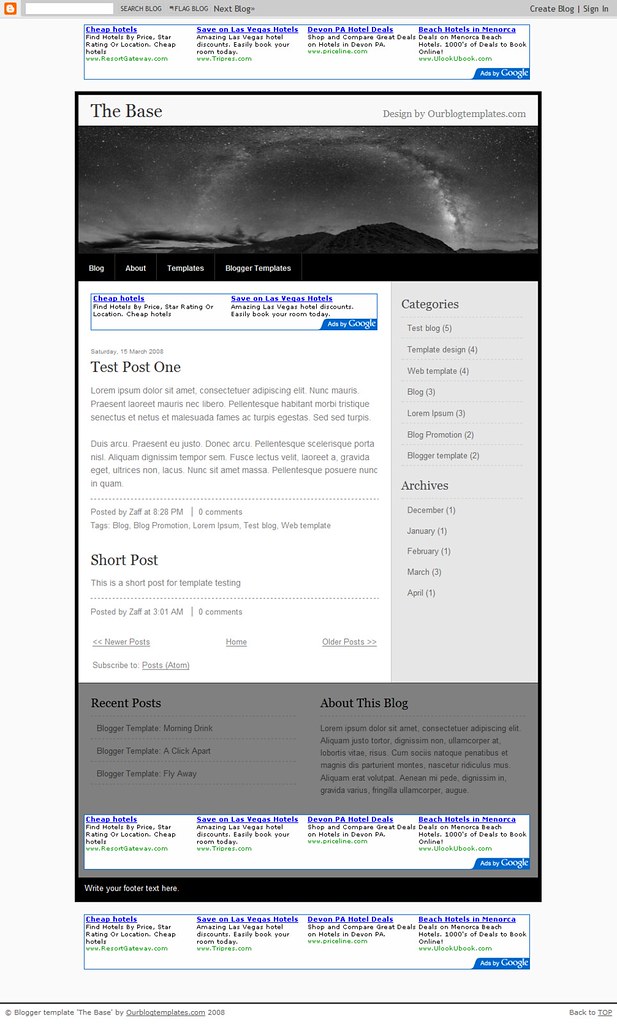
A great many readers have asked if it is possible to number blog comments in Blogger. Although I had tried many different methods, I had been unable to realize a successful and reliable method.
Luckily, Fernandooo1 has come to our rescue! In his explanatory post over at Randomness, he explains how to use a simple combination of JavaScript and CSS styling to produce this effect in Blogger templates.
Fernandooo1 uses this technique in the design for Randomness which appears like this:
The tutorial for numbering comments in Blogger includes the full code and technique required for customizing your Blogger template. You'll be happy to know that no external files are required: it's all achieved by some simple edits to the HTML code. If you would like to add this functionality to your own Blogger template, please take a look at Fernandoo01's well-written tutorial.
For Fernandooo1: thank you for posting your original tutorial and this subsequent translation in English :)
Tuesday, 5 August 2008
Monday, 4 August 2008
12 Free Photoblog Templates for Blogger
With the increased trend towards photoblogging, many bloggers seek one column templates which enhance the appearance of their photographs.
In this article, I have gathered 12 free Blogger XML templates which use the one column layout. These templates provide the perfect backdrop for photo-bloggers and designers to showcase their work.
Photoblog templates tend to have a different layout structure to regular templates. Because of this, I have included full page screenshots of these templates which offers a better overall view of the template.
1. Ser Photoblogger by Ser Turista
A minimalist CSS based template with three columns in the footer.
Demo | Download
2. The Pattern by Our Blog Templates
A wide photolog template which is ideal for those who prefer to display larger images in their posts.
Demo (image only) | Download
3. Restoration by Frivmo
A simple blue toned template with space for widgets in the footer.
Demo | Download
4. The Lake by Our Blog Templates
This beautiful one column template has plenty of space for images and three columns in the footer.
Download
5. Minimalista Negro by Blog and Web
An elegant single column template with iconized links for labels and dates.
Demo | Download
6. Ambiru by BlogCrowds
This narrow template is simple and dark with two columns in the footer for widgets. Converted from the classic Blogger template originally by Gecko and Fly.
Demo | Download
7. iPhone Template by Jackbook
Converted from the original theme by Themey, this single column template has the appearance of an iPhone.
Demo | Download
8. Photoblog by Our Blogger Templates
A minimalist template accented with pink titles.
Download
10. Neonix by Blog and Web
Neonix would look great with colorful imagery set against this green theme.
Demo | Download
11. Photoblog II by Our Blog Templates
Another wide photoblog template with a simple and elegant design.
Download
12. Photoblog (Dark) by Ser Turista
A dark one column theme which sets of colorful images perfectly.
Demo | Download
In this article, I have gathered 12 free Blogger XML templates which use the one column layout. These templates provide the perfect backdrop for photo-bloggers and designers to showcase their work.
Photoblog templates tend to have a different layout structure to regular templates. Because of this, I have included full page screenshots of these templates which offers a better overall view of the template.
1. Ser Photoblogger by Ser Turista
A minimalist CSS based template with three columns in the footer.
Demo | Download
2. The Pattern by Our Blog Templates
A wide photolog template which is ideal for those who prefer to display larger images in their posts.
Demo (image only) | Download
3. Restoration by Frivmo
A simple blue toned template with space for widgets in the footer.
Demo | Download
4. The Lake by Our Blog Templates
This beautiful one column template has plenty of space for images and three columns in the footer.
Download
5. Minimalista Negro by Blog and Web
An elegant single column template with iconized links for labels and dates.
Demo | Download
6. Ambiru by BlogCrowds
This narrow template is simple and dark with two columns in the footer for widgets. Converted from the classic Blogger template originally by Gecko and Fly.
Demo | Download
7. iPhone Template by Jackbook
Converted from the original theme by Themey, this single column template has the appearance of an iPhone.
Demo | Download
8. Photoblog by Our Blogger Templates
A minimalist template accented with pink titles.
Download
10. Neonix by Blog and Web
Neonix would look great with colorful imagery set against this green theme.
Demo | Download
11. Photoblog II by Our Blog Templates
Another wide photoblog template with a simple and elegant design.
Download
12. Photoblog (Dark) by Ser Turista
A dark one column theme which sets of colorful images perfectly.
Demo | Download
Over to you
I hope you enjoy this selection of free photo-blog style templates and may find these useful for your own blogging projects. Photo-blog style templates are becoming increasingly popular, though there are few blog designers who have constructed templates in this style. If I have missed any out, or if you discover any other free templates in this style, please let me know by leaving a comment below.Saturday, 2 August 2008
Blogger Has Restored All Blogs Mistakenly Marked as Spam
Blogger has restored all accounts which were mistakenly locked down yesterday under suspicion of spam!
Here's an official statement from the Blogger Buzz blog:
We want to offer our sincerest apologies to affected bloggers and their readers. We’ve tracked down the problem to a bug in our data processing code that locked blogs even when our algorithms concluded they were not spam. We are adding additional monitoring and process checks to ensure that bugs of this magnitude are caught before they can affect your data.Many bloggers who were affected by this issue were justifiably inflamed by yesterday's incident, and I sincerely hope this apology will go some way to quell dissent against this otherwise great blogging platform.
At Blogger, we strongly believe that you own and should control your posts and other data. We understand that you trust us to store and serve your blog, and incidents like this one are a betrayal of that trust.
Unable to view your blog? Sitemeter may be causing the problem!
Many bloggers are seeing an error like this when trying to view certain blogs:
If you are using SiteMeter in your blog, you should remove the code from your template or widgets completely, or anyone using Internet Explorer to access your site will be unable to view your blog.
The SiteMeter code will probably look something like this:
Update: Compulsivo discovered that switching from JavaScript to regular HTML for the SiteMeter code solves the issue and allows you to retain your SiteMeter statistics. Thank you for the advice, Compulsivo!
Update #2: The problem now seems to be resolved on the user end, though the SiteMeter site still will not load properly in IE. Thanks Todd!
I'll update this post when (or if) SiteMeter address the issue or the problem is fixed.
IE cannot open the internet at http://web-page.com" (or whatever the site is) Operation AbortedThis occurs when trying to view a blog (or website) which has SiteMeter installed when browsing with Internet Explorer 5.5, 6 or 7. The problem appears to be a critical issue with SiteMeter's statistics code. Take a look at One Project Closer for more information about this.
If you are using SiteMeter in your blog, you should remove the code from your template or widgets completely, or anyone using Internet Explorer to access your site will be unable to view your blog.
The SiteMeter code will probably look something like this:
Once removed from your template, your blog should load fine again.
<script src="”http://s36.sitemeter.com/js/counter.js?site=yourIDhere”" type="”text/javascript”">
</script>
<noscript><br> <a href=”http://s36.sitemeter.com/stats.asp?site=yourIDhere” target=”_top”><br> <img src=”http://s36.sitemeter.com/meter.asp?site=yourIDhere” alt=”Site Meter” border=”0″/></a><br> </noscript>
Update: Compulsivo discovered that switching from JavaScript to regular HTML for the SiteMeter code solves the issue and allows you to retain your SiteMeter statistics. Thank you for the advice, Compulsivo!
Update #2: The problem now seems to be resolved on the user end, though the SiteMeter site still will not load properly in IE. Thanks Todd!
I'll update this post when (or if) SiteMeter address the issue or the problem is fixed.
Friday, 1 August 2008
The Blogger Template Book - Free eBook to Download
Choosing and using a new template for your Blogger powered blog can be quite a daunting task. What is the best method for installation? How can you choose the design and layout most suitable for your blog?The Blogger Template Book is a free complete guide to Blogger templates, from choosing the best layout and design to suit your content, to foolproof installation methods and optimization.
In this free eBook you can learn about:
- Different styles of layout and overall blog design
- How to install different types of Blogger templates
- How to maintain widgets when changing templates
- Where to download the best free templates
- How to speed up the loading time for your blog
- How to optimize your blog template to rank higher in search engines
- Useful resources to help you get the most from your Blogger template
And much more!
Here is a preview of the contents and first chapter of The Blogger Template Book:
You can download this free 114 page eBook simply by subscribing to Blogger Buster in your favorite feed reader or by email. In addition, you will also receive regular tips, tutorials and free Blogger templates to help you build a better blog with Blogger.
Subscribe to Blogger Buster in the feed reader of your choice or sign up for email updates below:
When you subscribe to Blogger Buster by email, you will only receive articles when they are posted on the blog and nothing more. I hate spam as much as you do, and will not share your email address with anyone else! You are free to unsubscribe at any time by simply clicking on the link at the bottom of each email digest.
How to download your free eBook
Once you have subscribed to Blogger Buster, look for the download link beneath each post in your feed reader, or at the bottom of each email digest:Click on the "Download your free copy of The Blogger Template Book" link to access your free eBook.
This file is 5.6mb in size (as this is quite a large eBook) and may take a few minutes to download. Once you have downloaded this file, you can view using Adobe Acrobat Reader (free).
If you have problems downloading your free eBook, send me an email and I'll help you.
Feedback
I hope you enjoy reading and using this eBook! Please let me know what you think by leaving your comments and opinions below.Has your blog been flagged as spam? Here are some tips
Update: The Blogger team have worked hard to restore all blogs mistakenly marked as spam. Take a look at my post on the issue or read the official statement on the Blogger Buzz blog. If your blog is still locked due to suspected spam activity, the rest of this post may still offer some useful tips for you.
It seems that Blogger's algorithm for flagging suspected spam blogs has gone into overdrive! I've received a few emails just this morning from Blogger users whose blogs have been locked because of suspected spam activity.
While I am not affiliated with Blogger (and cannot provide an official explanation for this activity) I have found a few resources which I hope may be able to help you.
Blogger have just posted an update on Blogger Buzz about this situation:
If your blog has been locked because of suspected spam or malware, you should have received an email (or a message in your blog's dashboard) like this:
First of all, don't panic! Your blog has not been deleted. Instead, you will not be able to post until your blog has been reviewed and cleared by a member of the Blogger team.
Provided your blog does not contain any malware or spam, your blog will be restored once you have filed your request for review.
Here are some of the steps you can take to remove the lockdown from your blog:
This is not guaranteed to work (especially as there are so many members posting about this same problem), though it's worth a try.
When posting about your problem in the Blogger Help Group, be sure to include the following information which will be helpful for Blogger Employees to review and restore your locked blog:
This enables you to add a message (or perhaps a Twitter widget) to let readers understand what's happening with your blog.
Many believe that people are abusing the "Flag this blog" link which appears in the Blogger nav-bar. It's also possible that malicious readers are reporting innocent blogs as spam. Rather than reviewing blogs first, the Blogger system appears to lock down suspected spam blogs instantly.
Update from Pete (see comments below):
I subscribe to news about Blogger through Google Alerts and many of the stories recently added about Blogger have been related to the revelation that Blogger has been branded the number one host for malware. In light of this news, it's understandable that Google wants to clamp down on spam and malware to restore its reputation.
I truly understand the upset and frustration you must feel if your blog has been unfairly locked, and am sure the Blogger team will do all they can to restore locked blogs as quickly as possible. In the meantime, I'll update this post with any further information on this issue and appreciate any tips you could offer in the comments below.
It seems that Blogger's algorithm for flagging suspected spam blogs has gone into overdrive! I've received a few emails just this morning from Blogger users whose blogs have been locked because of suspected spam activity.
While I am not affiliated with Blogger (and cannot provide an official explanation for this activity) I have found a few resources which I hope may be able to help you.
Blogger have just posted an update on Blogger Buzz about this situation:
While we wish that every post on this blog could be about cool features or other Blogger news, sometimes we have to step in and admit a mistake.
We've noticed that a number of users have had their blogs mistakenly marked as spam, and wanted to sound off real quick to let you know that, despite it being Friday afternoon, we are working hard to sort this out. So to those folks who have received an email saying that your blog has been classified as spam and can't post right now, we offer our sincere apologies for the trouble.
We hope to have this resolved shortly, and appreciate your patience as we work through the kinks
If your blog has been locked because of suspected spam or malware, you should have received an email (or a message in your blog's dashboard) like this:
Your blog at: http://yourblog.blogspot.com/ has been identified as a potential spam blog. To correct this, please request a review by filling out the form at http://www.blogger.com/unlock-blog.g?lockedBlogID=xxxxxxxxx
Your blog will be deleted within 20 days if it isn’t reviewed, and you’ll be unable to publish posts during this time. After we receive your request, we’ll review your blog and unlock it within two business days. If this blog doesn’t belong to you, you don’t have to do anything, and any other blogs you may have won’t be affected.
First of all, don't panic! Your blog has not been deleted. Instead, you will not be able to post until your blog has been reviewed and cleared by a member of the Blogger team.
Provided your blog does not contain any malware or spam, your blog will be restored once you have filed your request for review.
Here are some of the steps you can take to remove the lockdown from your blog:
- Immediately follow the link to the review form found in your email (or in your Blogger dashboard). This will initiate the review process.
- Ensure the email address you use for your Blogger account is current! If the Blogger team do need to get in touch, they will email you at this address, so be sure it is correct and accessible!
- Take a look at your blog, review your posts and check widgets to ensure no spam or malware has been inserted without your knowledge.
- If after four days your blog privileges have not been restored, you need to fill in this form which should hurry the review process along a bit. Note: you can only use this form if you have already submitted the initial review request AND four days have passed since you submitted it.
This is not guaranteed to work (especially as there are so many members posting about this same problem), though it's worth a try.
When posting about your problem in the Blogger Help Group, be sure to include the following information which will be helpful for Blogger Employees to review and restore your locked blog:
- Your blog's URL
- The date you received notice of your blog lockdown
- The date you filed your initial (and possibly consequent) review request
- The nature of your blog
You should be able to add/edit widgets in your sidebar
Serendipitybrenda posted a useful message in the Blogger Help Group to inform others that it's possible to add/edit widgets in your blog layout.This enables you to add a message (or perhaps a Twitter widget) to let readers understand what's happening with your blog.
Why is this happening?
It seems Blogger is trying to delete REAL spam and malware blogs from its' system, and unfortunately many innocent blogs are being caught in the crossfire!Update from Pete (see comments below):
The "Flag Blog" button never ever causes automatic spam classification of a blog. Instead, it brings the blog to the attention of human content policy reviewers. See: http://help.blogger.com/bin/answer.py?hl=en&answer=42517Thank you for this useful information, Pete :)
I subscribe to news about Blogger through Google Alerts and many of the stories recently added about Blogger have been related to the revelation that Blogger has been branded the number one host for malware. In light of this news, it's understandable that Google wants to clamp down on spam and malware to restore its reputation.
I truly understand the upset and frustration you must feel if your blog has been unfairly locked, and am sure the Blogger team will do all they can to restore locked blogs as quickly as possible. In the meantime, I'll update this post with any further information on this issue and appreciate any tips you could offer in the comments below.
Wednesday, 30 July 2008
Blogger Buster Forums - Now Online!

Visit the Blogger Buster forums
I've finally completed the most essential work on the all new Blogger Buster Forums!
I hope this will become a useful addition to Blogger Buster where you can post questions, help others and write about useful Blogger related topics which cannot be easily covered by commenting on blog posts.
These forums are based on BB Press which is a simple yet elegant forum package. I've tried to style the forums close to the style of this blog so it will be easy to navigate between the two using the links in the navigation bar (below the header).
- Here are some of the features of this forum:
- Upload images (and other file types) along with your post
- Gravatars are enabled, so you can use an avatar beside your posts
- Add tags to your posts to help others find similar content
- Subscribe to the RSS feeds for the site, individual forums and posts
Anyone can read the forums, but to post or reply you will need to create a free account using a valid email address. Once you have created an account, your password will be delivered by email within a few minutes (you can change this through your Account dashboard once you have successfully logged in) so you can begin posting virtually straight away.
At present, the forum search function is rather limited and can only be accessed from the home page.Once Google begins indexing pages from the forums, I will be able to add a custom search engine to search posts more thoroughly (with more results) and may also integrate this with the blog so you can search both areas of Blogger Buster with only one form.
Further improvements will be added over the coming weeks, so I would be very grateful for any feedback and suggestions you can offer :)
Hope you enjoy the new addition to Blogger Buster! Please let me know what you think by commenting or posting a message in the forums.
Subscribe to:
Posts (Atom)